
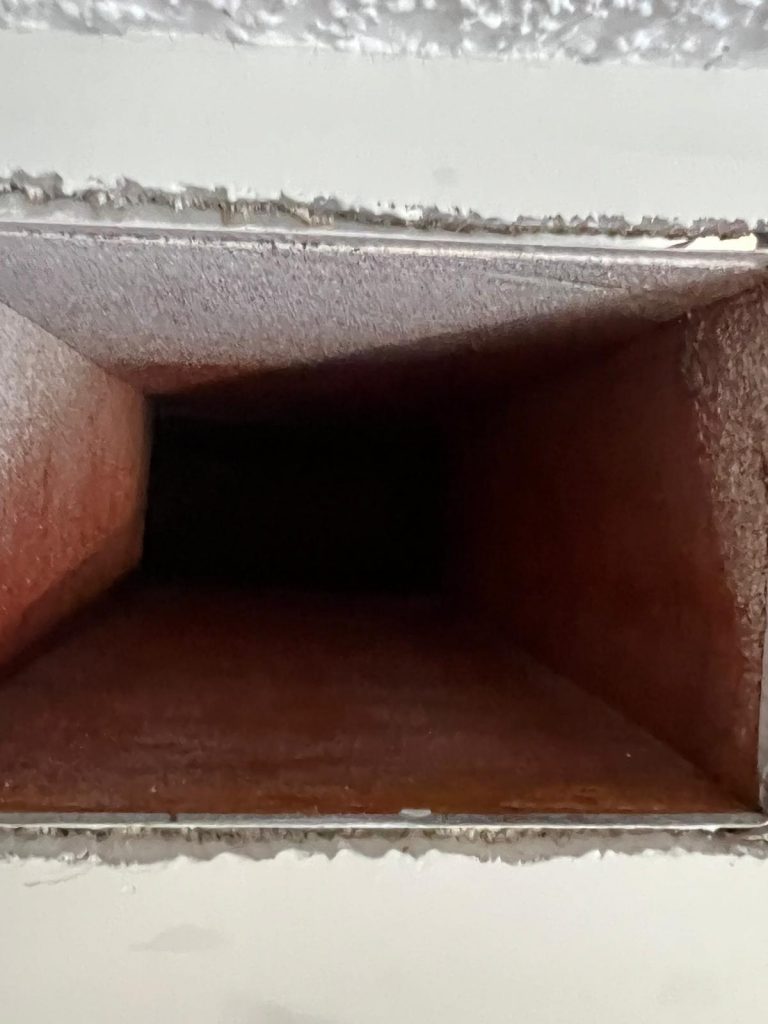
When homeowners call about dirty vents, the description usually starts with something like the vents look gross. That may be true, but it does not tell a technician much. A few clear photos can make the conversation faster and more useful. Before calling for duct cleaning in Port St. Lucie, take pictures of the vents, returns, filters, and nearby dust patterns so the company can understand what you are seeing.
This is not about proving a case in court. It is about avoiding guesswork. Photos help separate surface dust from deeper buildup, show whether the issue is in one room or throughout the house, and give the company a better idea of what questions to ask next.
Photograph the Supply Vents
Start with the supply vents, which are the vents that blow conditioned air into each room. Take one photo from a few feet away so the technician can see the wall or ceiling around the vent. Then take a closer photo of the vent face. If there is dust around the edges, dark streaking, loose debris, or staining near the register, capture it clearly.
Do this in the rooms where the issue is most obvious. Bedrooms, living rooms, offices, and bathrooms can each tell a different story. If only one room has a dirty vent, that matters. If every vent looks similar, that matters too. The pattern is often more useful than one dramatic close-up.
Photograph the Return Grille
The return grille is one of the most important places to photograph because it pulls household air back toward the system. Returns often collect dust faster than supply vents, especially in Florida homes where the AC runs for long stretches. Take a wide shot of the return location and a close photo of the grille surface.
If the return is in a hallway, closet, living room, or near the air handler, include enough of the surrounding area to show the setup. Dust on the wall or ceiling around the return can help explain airflow patterns. If the return grille looks fuzzy or dark, clean photos are more useful than a dramatic description. Though dramatic descriptions do have their place, usually in group chats.
Photograph the Filter
If the filter is easy to access, take a photo before replacing it. Show the filter face, the size printed on the frame, and how it sits in the rack. If the filter is bent, loose, very dark, damp, or the wrong size, that information matters. A duct cleaning conversation changes if dust is bypassing the filter.
Do not remove panels or open equipment compartments you are not supposed to touch. A normal filter slot is fine. Anything beyond that belongs to an HVAC technician. The goal is to document visible conditions, not to become the main character in an avoidable repair bill.
Photograph the Air Handler Area
Take a few photos around the air handler closet, garage unit, or utility area if it is accessible. Show the floor, nearby stored items, filter door, return area, and any visible dust. In Port St. Lucie homes, air handlers may be in garages, closets, or interior spaces that collect household dust and storage debris.
If the area is crowded, the photos can also help the company explain what may need to be moved before service. You do not need to clean the whole space before calling. In fact, photos before cleanup can show where the dust is coming from.
Photograph Dust Patterns, Not Just Dust
A close-up of gray dust is less useful than a photo that shows where the dust is located. Take pictures of dark rings around vents, dust streaks moving away from a register, dust collecting on nearby shelves, or repeated buildup near one room. Patterns help identify whether the issue may be airflow-related, room-specific, filter-related, or simply normal surface dust that has been ignored for a while.
If dust returns quickly after wiping a vent, take a photo before cleaning and another a few days later. The timing helps. A vent that gets dusty over six months is different from one that looks dirty again after a week.
Photograph Recent Work Areas
If the home recently had AC repair, remodeling, flooring, drywall work, attic access, or pest work, photograph the areas near that work. Dust from a project can move through the home and collect near vents or returns. Knowing what changed recently helps the company avoid treating every dirty vent like an isolated mystery.
For example, if a hallway return sits near a renovation area, the return may show dust that has little to do with the rest of the duct system. That does not mean cleaning is unnecessary. It means the conversation should start with the real context.
What to Send or Describe When You Call
When you call, be ready to describe how many vents look dirty, where the return is located, when the filter was last changed, and whether the dust appeared after a recent event. If the company accepts photos by text or email, send the clearest few instead of twenty near-identical images. More photos are not always more helpful. Sometimes they are just a slideshow with lint.
Air Duct Cleaning PSL can use those details to talk through whether duct cleaning may be useful. Duct cleaning starts at a $245 minimum, and the final recommendation should depend on the home layout and what is actually visible.
Local Guidance for Dirty Vents
Air Duct Cleaning PSL serves Port St. Lucie and the Treasure Coast. The company is family-owned, licensed and insured, offers same-day availability when the schedule allows, and has a 5.0 rating with 47 Google reviews. Jeff is the public contact, so the conversation can stay simple: what are you seeing, where is it happening, and does it look like duct cleaning is the right next step?
Before calling about dirty vents, take the photos above and then call (772) 237-0018. Hours are Monday through Saturday, 8AM to 5PM, and Sunday is closed.